WordPress guide
Capture more leads from your WordPress site with AI chat
Every visitor who leaves a contact detail becomes a lead with a status, an alert and a CSV export.
Hear it now: call our AI on +1 209-209-4303
Free in the WordPress.org plugin directory. 7-day free trial, no card.
Quick answer
How do I capture leads with a chatbot on WordPress?
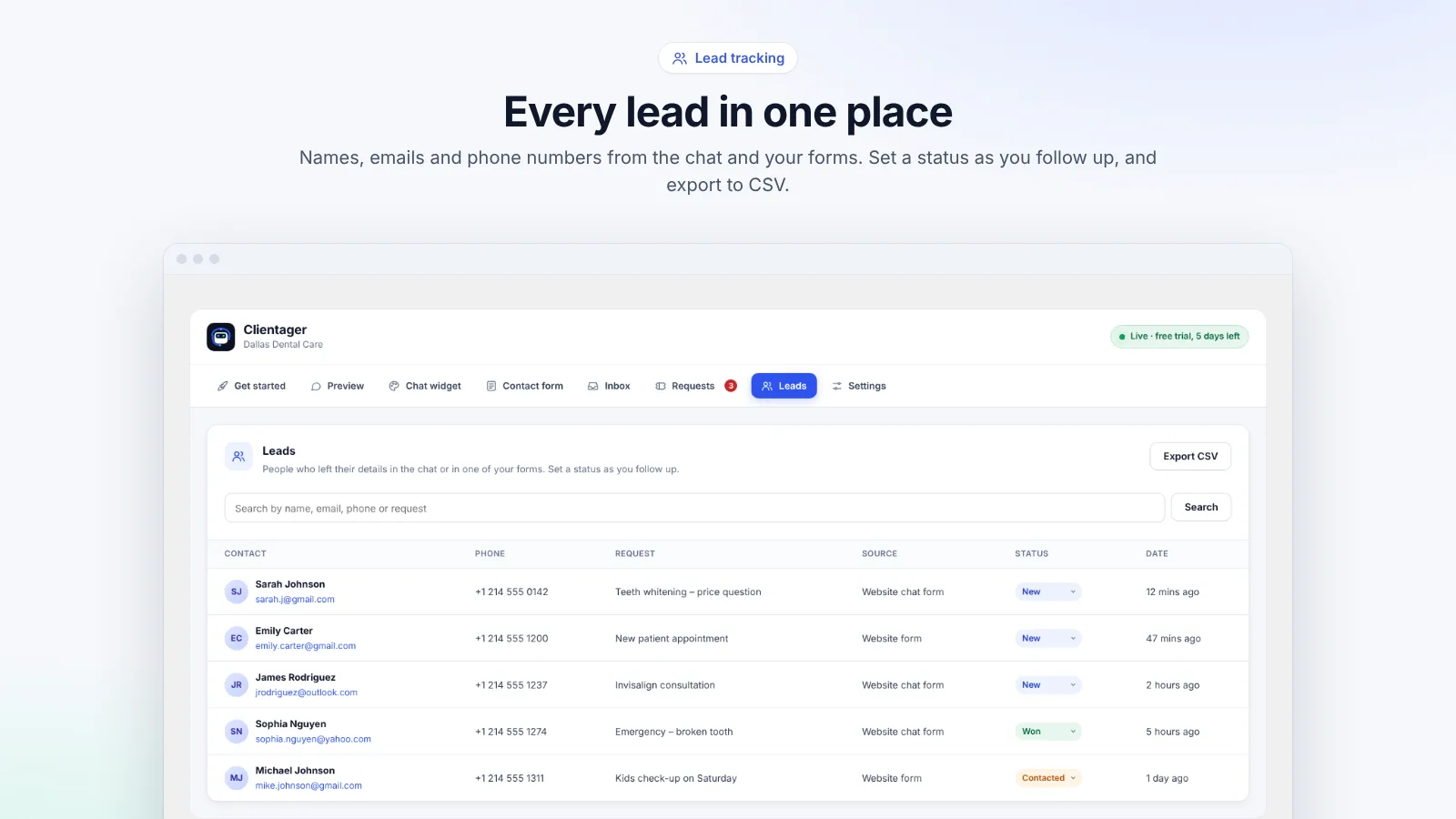
Clientager turns any visitor who leaves an email or phone number in the chat, or fills in a supported form, into a lead. You get an email alert, the lead appears in the Leads tab with its conversation, and you can mark it contacted, qualified, won or lost, search it and export everything to CSV. An optional form before the chat captures details before the first question.
Where leads come from
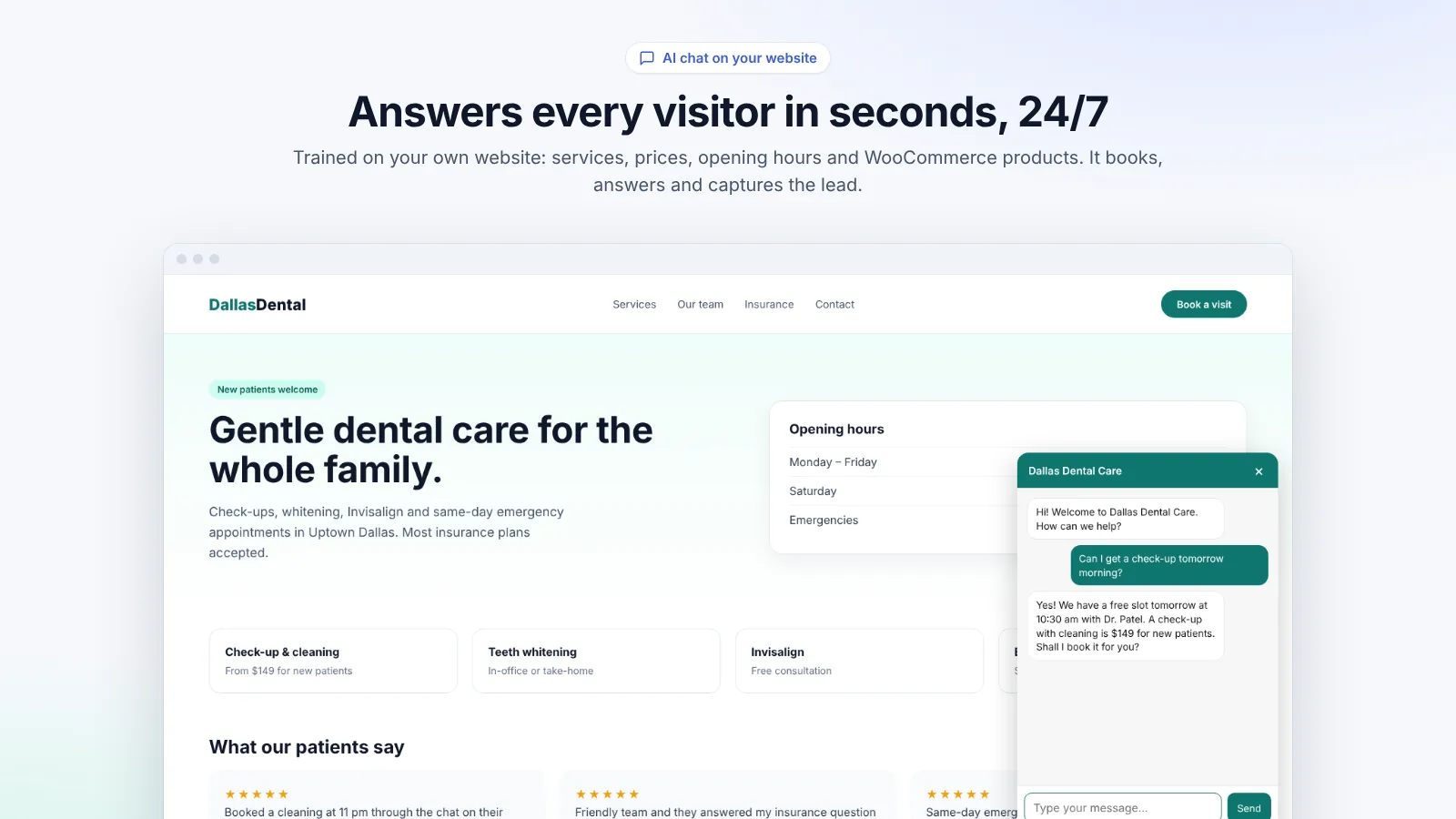
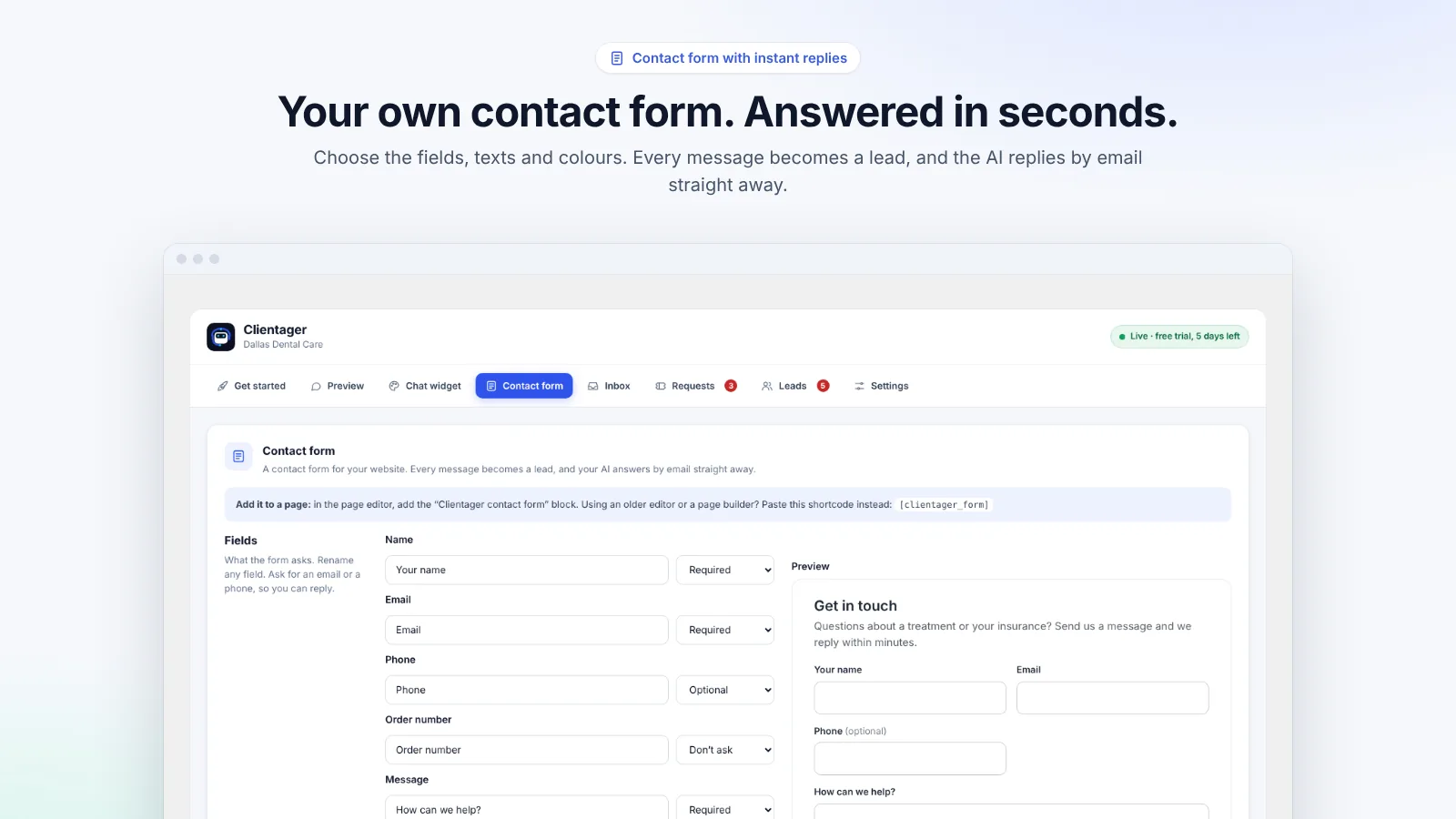
Three places: the chat (when a visitor gives an email or phone number while talking to the AI), the optional form before the chat (name, email, phone, language), and your website forms, either a supported form plugin or the Clientager contact form. All of them land in one list.
The AI asks for contact details naturally when they are needed, for example to arrange a callback or send a quote, rather than demanding them up front. For product questions it shows the products in the chat instead of asking for an email.
Following up
Each new lead triggers an email alert. In the Leads tab you see the name, contact details, source and the conversation that led to it, and you set a status: new, contacted, qualified, won or lost. Search by name, email or phone, and export up to 1,000 leads to a CSV file for your CRM or spreadsheet.
- Email alert for every new lead
- Status: new, contacted, qualified, won, lost
- Search by name, email or phone
- CSV export
Respecting privacy
The form before the chat can include a consent tick box. Lead data is stored securely and used only for your business; it is not sold or used to train AI models.
Frequently asked questions
Can I send leads to my CRM?
Export them to CSV from the Leads tab. Plans with the full dashboard also include a built-in CRM and integrations.
Do I get notified of new leads?
Yes, by email. You can choose who receives alerts in Settings.
Is the form before the chat required?
No, it is optional. Without it, the AI still captures details whenever a visitor shares them.
Are leads counted against my plan?
No. Leads are unlimited; plans count AI conversations and AI emails.
More WordPress guides
Want this for your business?
Try it free for 7 days, no card needed: AI website chat, WhatsApp and email, trained on your own website. AI phone calls come with paid plans.