WordPress guide
An AI receptionist for your WordPress website
Like a front desk on every page: it answers, takes requests and makes sure your team follows up.
Hear it now: call our AI on +1 209-209-4303
Free in the WordPress.org plugin directory. 7-day free trial, no card.
Quick answer
What does an AI receptionist on a WordPress site do?
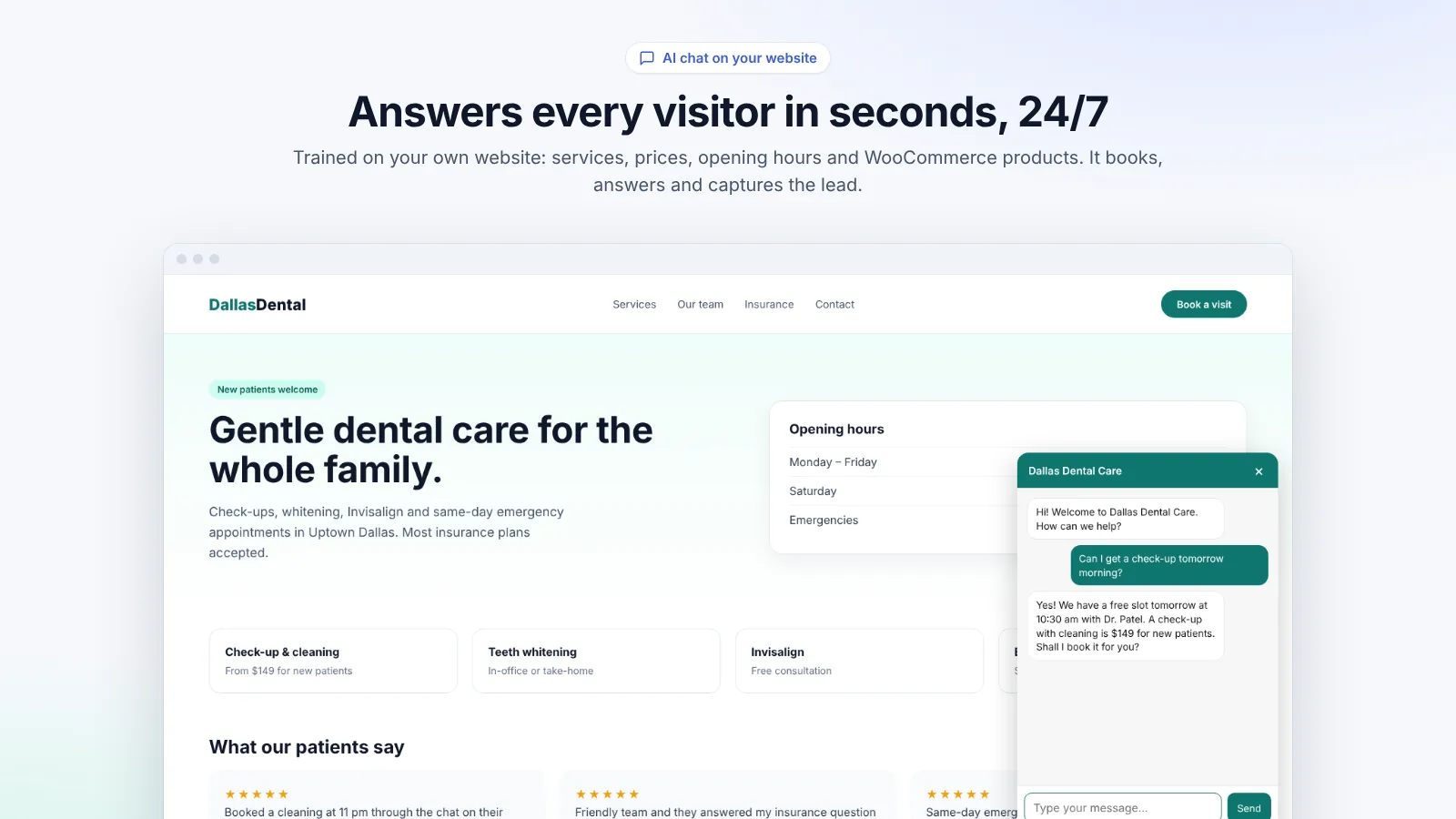
It greets visitors, answers questions about your services, prices and hours from your own pages, and takes requests that need a person: booking requests, callbacks and complaints. Each request is saved in the Requests tab with the customer's details and an email alert, so your team can confirm, resolve and reply, even emailing the customer from WordPress.
What it handles
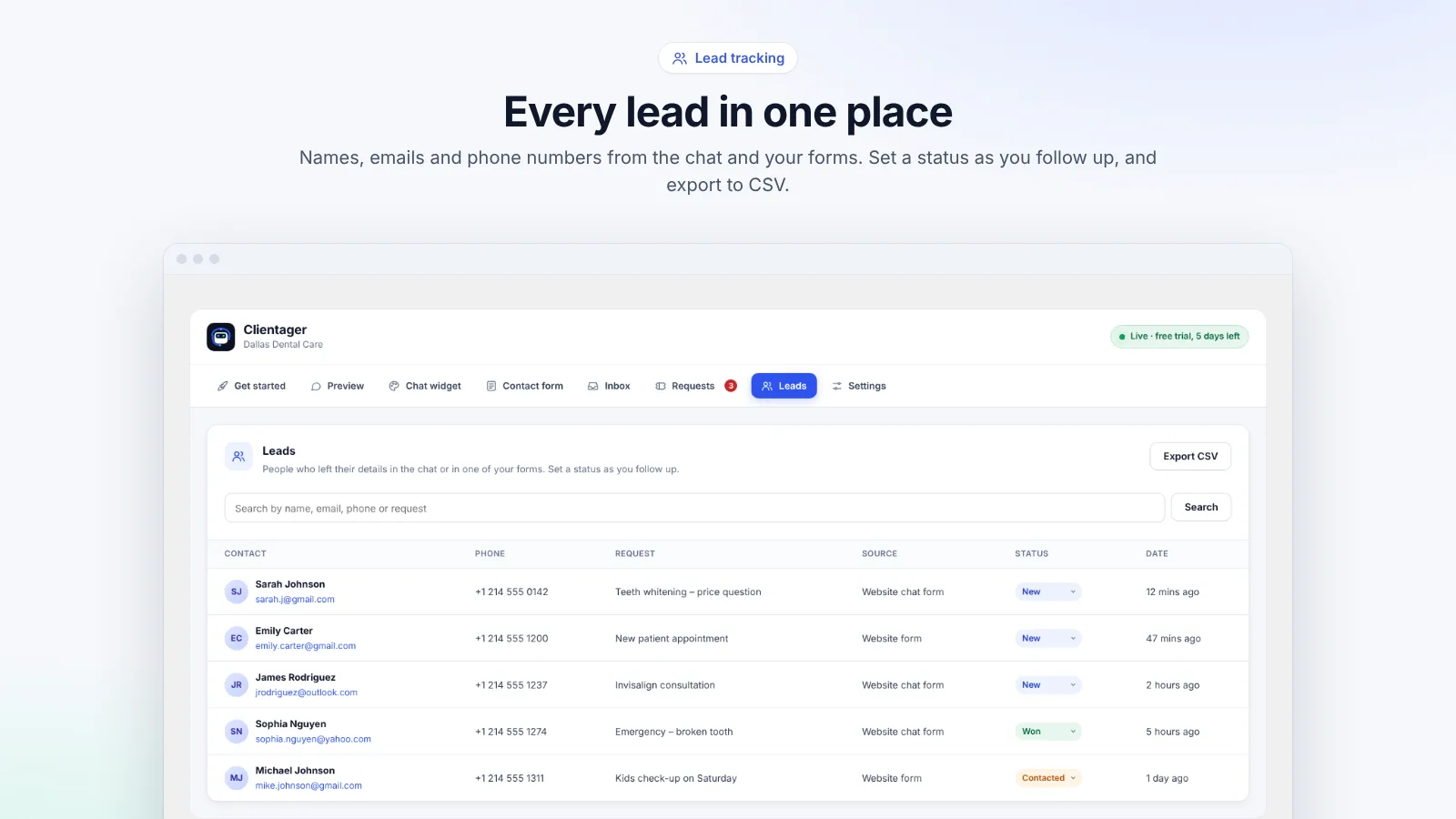
Most website enquiries are routine: are you open on Saturday, how much is a check-up, do you cover my area. The AI answers those instantly. The rest need your team: a booking for a specific time, a callback, a complaint. The AI collects the details (name, contact, what they need, order number if there is one) and files a request.
Requests: nothing slips through
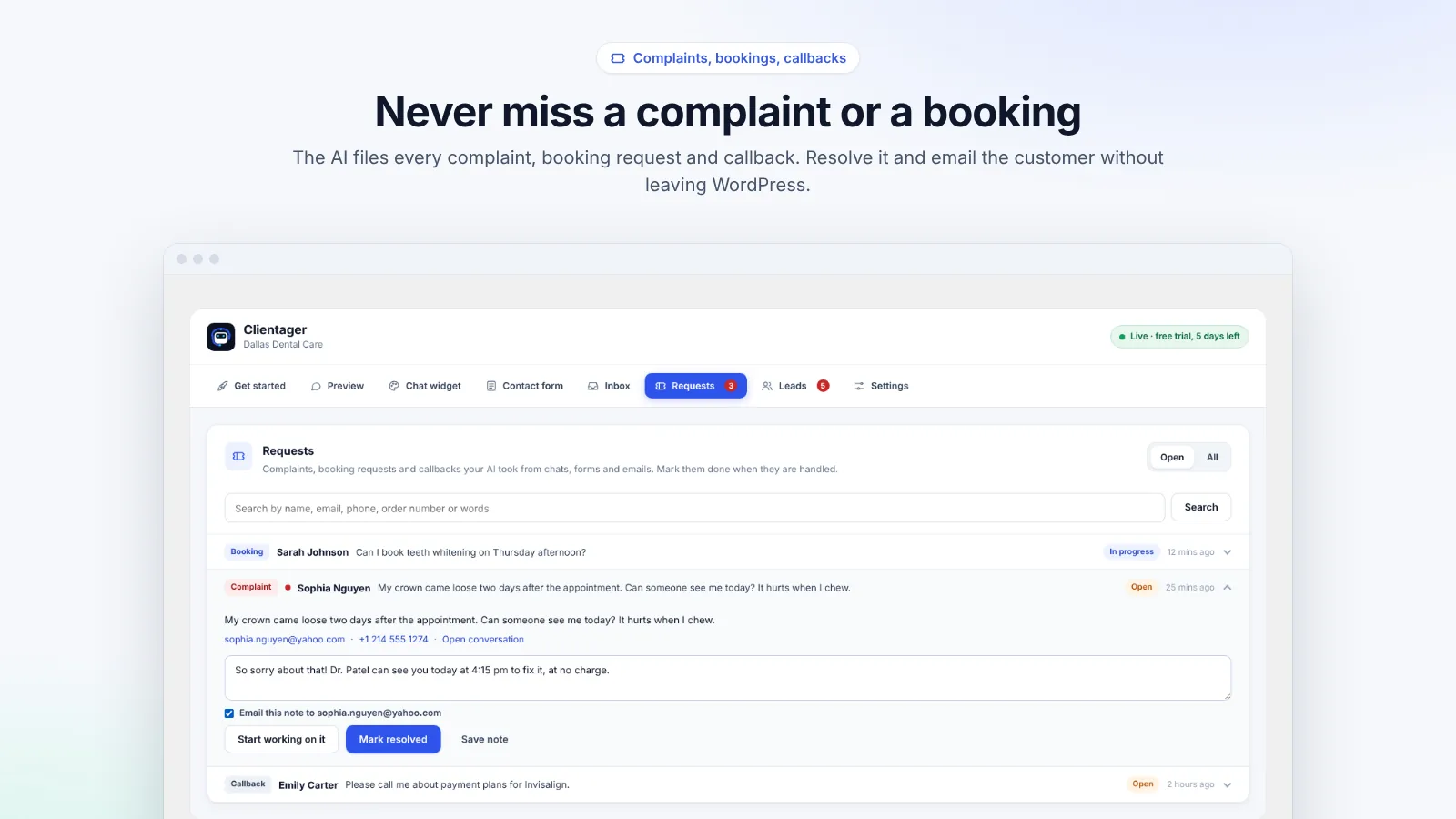
The Requests tab lists complaints, booking requests and callbacks in one row each, with the newest first and complaints marked urgent. Open one to see the customer's words and contact details, start working on it, add a note, mark it resolved, and optionally email the note to the customer with your sign-off. Search by name, email, phone or order number.
- Complaints marked urgent
- Booking and callback requests with details
- Notes and status: open, in progress, resolved, closed
- Email the customer straight from WordPress
Want it to answer the phone too?
The WordPress plugin covers your website chat and forms. On the Starter plan and above, the same AI can answer phone calls and WhatsApp with a Clientager number, and book appointments in your calendar. See pricing for what each plan includes.
Frequently asked questions
Can it book appointments directly?
On the website it takes booking requests for your team to confirm. Direct calendar booking is available with the full dashboard on Starter and above.
Will I be alerted about complaints?
Yes. New requests trigger an email alert, and complaints are marked urgent in the list.
Can customers get a reply from WordPress?
Yes. Add a note to a request and tick "Email this note" to send it to the customer.
Does it work for any type of business?
Yes. It learns your services from your pages, so it fits clinics, salons, trades, agencies, shops and more.
More WordPress guides
Want this for your business?
Try it free for 7 days, no card needed: AI website chat, WhatsApp and email, trained on your own website. AI phone calls come with paid plans.