WordPress guide
24/7 live chat on WordPress, without staffing it
The AI answers instantly, day and night; you read every chat in WordPress and step in whenever you want.
Hear it now: call our AI on +1 209-209-4303
Free in the WordPress.org plugin directory. 7-day free trial, no card.
Quick answer
How can a small business offer 24/7 live chat on WordPress?
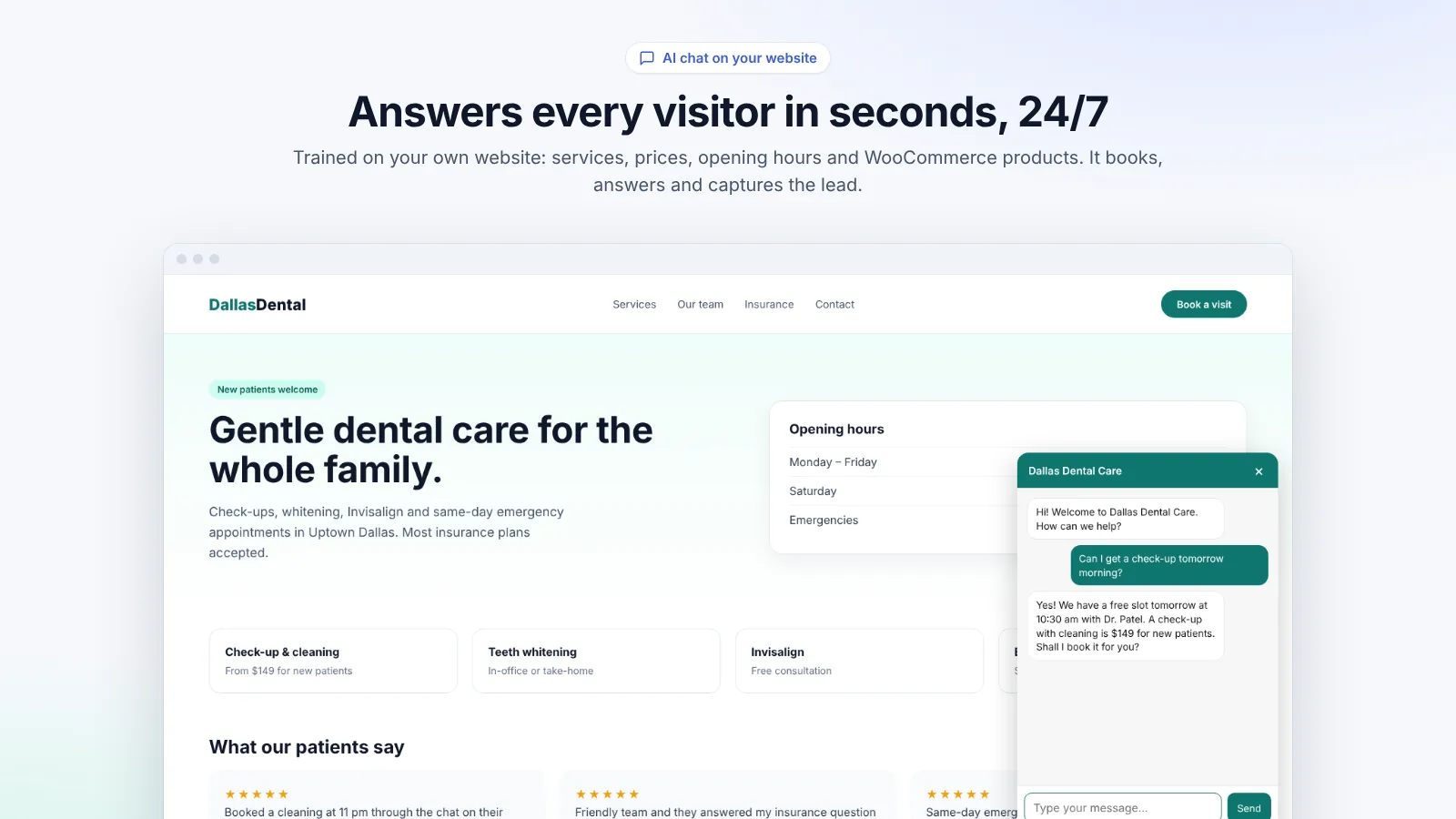
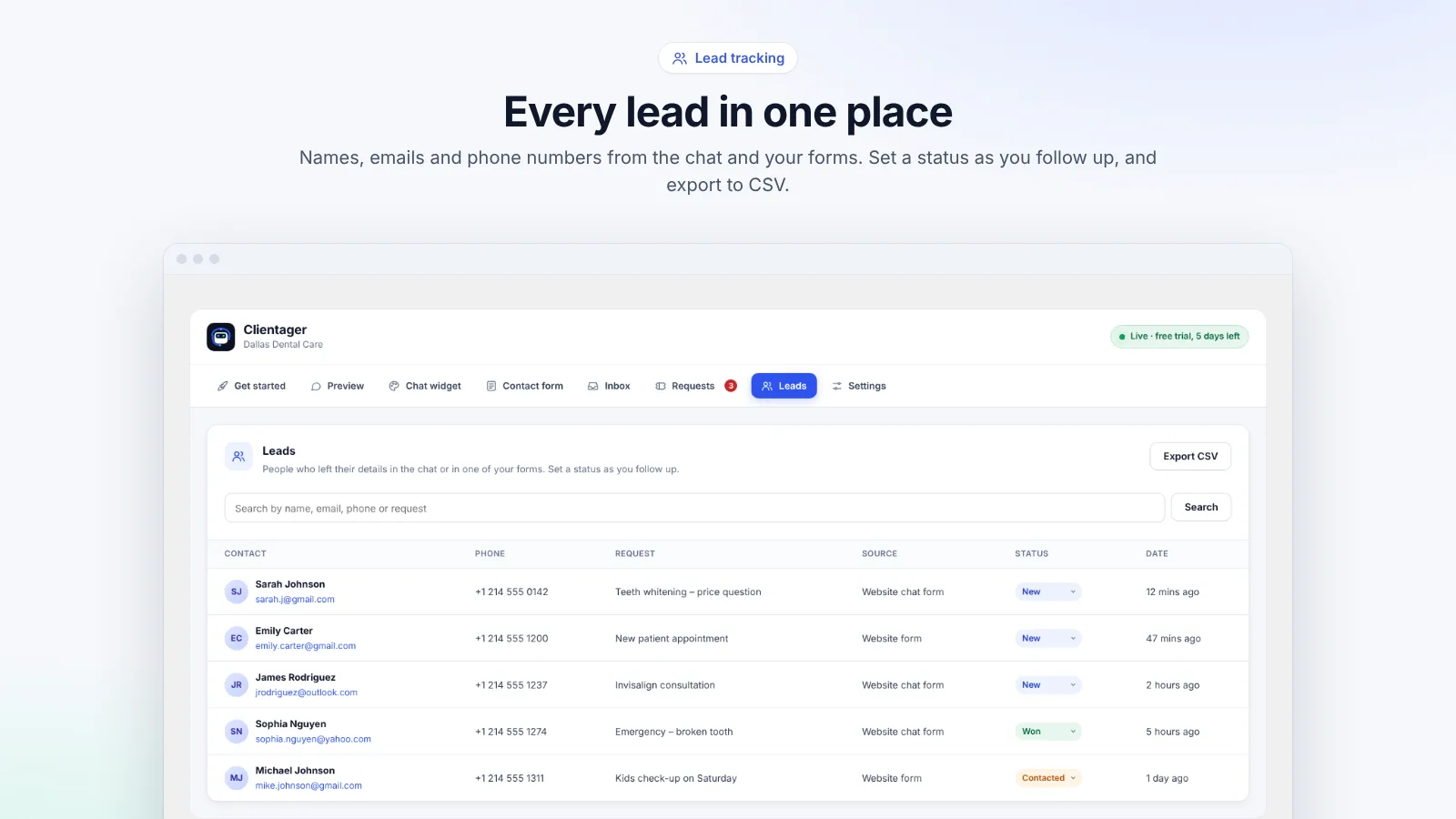
Use an AI chat that answers on its own and lets you take over. Clientager answers visitors instantly at any hour from your own content, saves their details as leads, and logs requests that need a person. In the Inbox tab you can read every chat, reply yourself and hand it back to the AI, so you get 24/7 cover without anyone watching a screen.
The problem with traditional live chat
Live chat only works if someone answers within a minute or two. Leave it unattended and visitors see "we're away" or wait for nothing, which is worse than having no chat. For a small team, staffing chat in the evening and at weekends, when many visitors arrive, is rarely realistic.
AI first, you when it matters
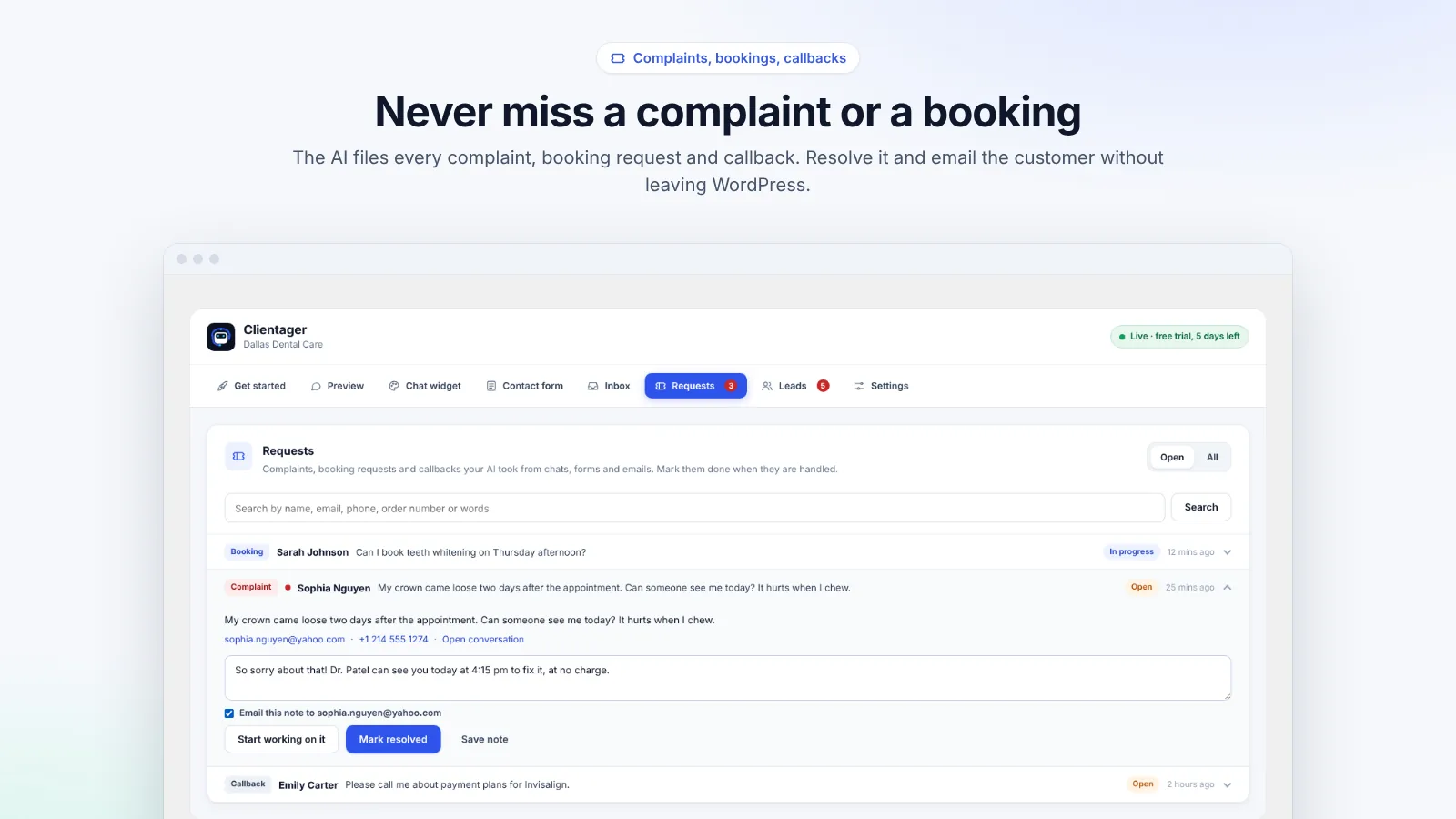
Clientager answers every visitor straight away from your pages and products. When someone needs a person, for example a complaint, a callback or a special request, the AI takes their details and saves it in Requests, marked urgent if it is a complaint, and you get an email alert. Nothing waits for you to be online.
When you are available, open Inbox in WordPress, read any conversation and reply yourself. Taking over pauses the AI for that chat; giving it back lets the AI continue. The visitor sees one smooth conversation.
- Instant answers at any hour
- Requests for complaints, bookings and callbacks
- Email alerts for new leads and requests
- Human takeover from the Inbox tab
Honest about being an AI
The assistant says it is an AI at the start of each chat, as consumer protection rules in many countries require. Visitors can always ask for a person, and the AI arranges it instead of pretending.
Frequently asked questions
How fast does it answer?
Usually within a few seconds, at any time of day.
Can I reply from my phone?
Yes. The Inbox works in WordPress on mobile, and the Clientager dashboard works in a phone browser.
What counts as one AI conversation?
A chat with one visitor over a day counts once, however many messages it has (up to a generous limit). Lite includes 500 a month, Starter 1,000.
What if the AI is unsure?
It says it will check with the team, saves the visitor's details and logs a request for you.
More WordPress guides
Want this for your business?
Try it free for 7 days, no card needed: AI website chat, WhatsApp and email, trained on your own website. AI phone calls come with paid plans.