Shopify guide
Manage returns and complaints in one simple list
The AI files them, you resolve them: urgent first, with notes and replies to the customer.
Hear it now: call our AI on +1 209-209-4303
Coming soon to the Shopify App Store (in review). Ask for early access and we will set up your store.
Quick answer
How do I track returns and complaints on Shopify?
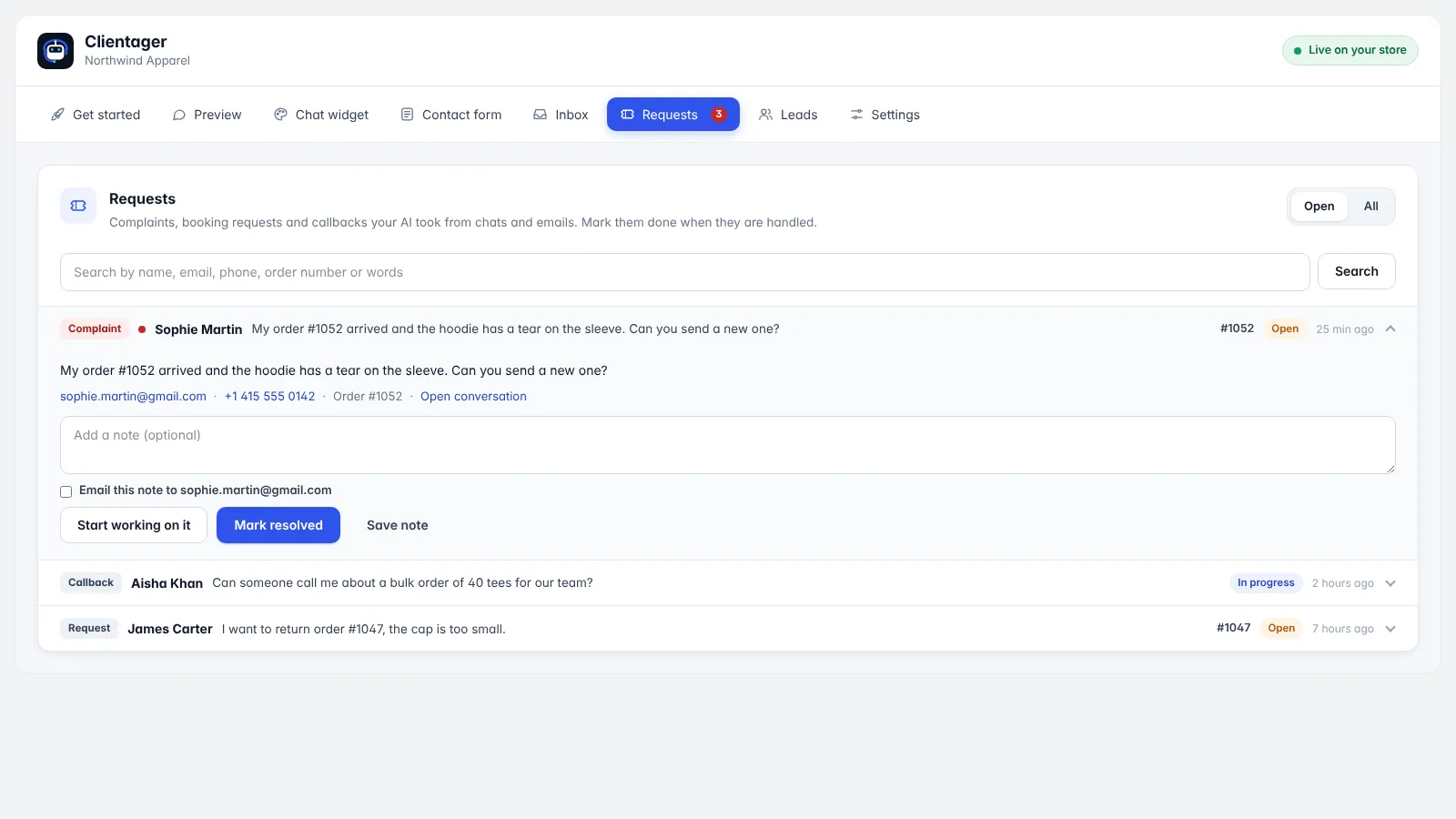
With Clientager, when a shopper reports a problem or asks for a return or callback in the chat, email or contact form, the AI collects the details and files a request. The Requests tab lists them one per row, complaints marked urgent, with the order number when given. Open one to add notes, mark it in progress or resolved, and email the customer from the app.
Why problems get lost
Complaints arrive by chat, email and contact form, and live in different inboxes. Without one list, it is easy to forget a return or reply late to an unhappy customer, which is when one-star reviews happen.
How Requests work
The AI recognises complaints, return and callback requests and files them with the customer's name, contact details and their own words, plus the order number if mentioned. You get an email alert. Each request shows on one row with its type, status and age; complaints get a red mark.
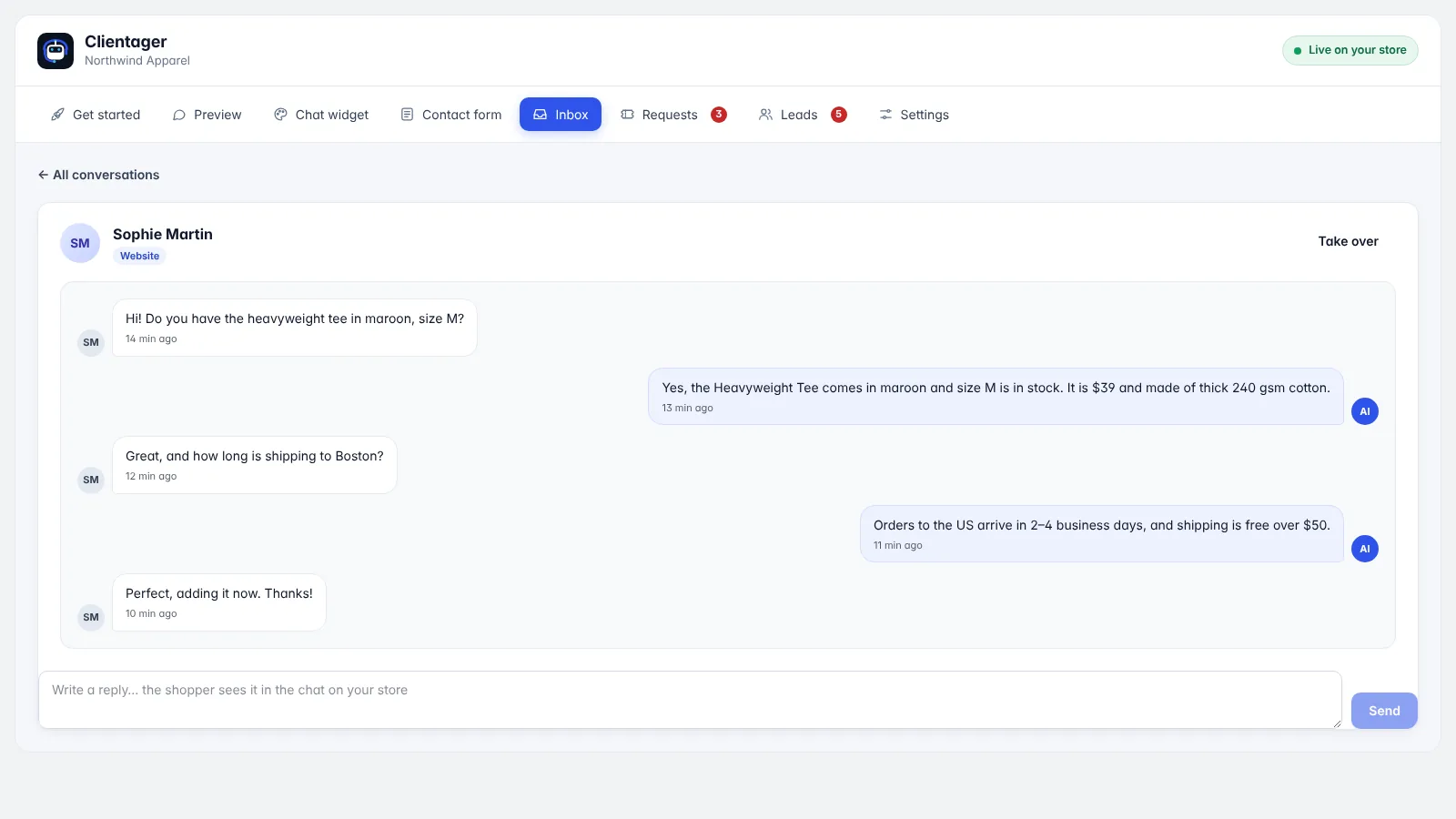
Open a request to see the details and a link to the conversation. Start working on it, add a note, mark it resolved, and tick "Email this note" to send your reply to the customer with your sign-off. Search by name, email, phone or order number.
- One list for complaints, returns and callbacks
- Status: open, in progress, resolved, closed
- Notes and email replies
- Count badge on the Requests tab
Calm the customer first
The AI acknowledges the problem, explains your returns policy from your own content and tells the customer the team will follow up, so they feel heard immediately instead of waiting in silence.
Frequently asked questions
Does it process refunds?
No. It files the request; you process returns and refunds in Shopify as usual.
Can I see the original conversation?
Yes, each request links to the chat it came from.
Will I be notified?
Yes, new requests trigger an email alert.
Can customers get my reply by email?
Yes, tick "Email this note" when you add a note.
More Shopify guides
Want this for your business?
Try it free for 7 days, no card needed: AI website chat, WhatsApp and email, trained on your own website. AI phone calls come with paid plans.