Shopify guide
How to add AI chat to your Shopify store
Five steps and no theme code: the assistant learns your products and policies and answers shoppers 24/7.
Hear it now: call our AI on +1 209-209-4303
Coming soon to the Shopify App Store (in review). Ask for early access and we will set up your store.
Quick answer
How do I add AI chat to Shopify?
Install the Clientager app, confirm your email with a 6-digit code and approve the 7-day free trial in Shopify. The AI learns your products, variants, pages and policies in about a minute. Test it in Preview, click Go live, then switch on the "Clientager chat" app embed in your theme editor and save. The chat bubble appears on every page of your store.
How it works
- 01
Install the app
Add Clientager to your store and approve its permissions (products, pages, policies, orders).
- 02
Confirm your email
Enter your email and the 6-digit code we send; the store email is filled in for you.
- 03
Start the free trial
Approve the 7-day trial in Shopify. Nothing is charged until it ends.
- 04
AI learns your store
Products, variants, pages and policies, in about a minute.
- 05
Switch on the app embed
One click opens the theme editor; turn on "Clientager chat" and save.
Before you start
You need a Shopify store and permission to install apps. The app asks to read products, pages, legal policies and orders: products and pages so the AI knows your catalogue and policies, orders so it can answer "where is my order?" for the person who placed it. It never changes your products or orders.
Clientager is in review for the Shopify App Store. Until it is listed, ask for early access on Shopify app and we will set up your store.
The steps in detail
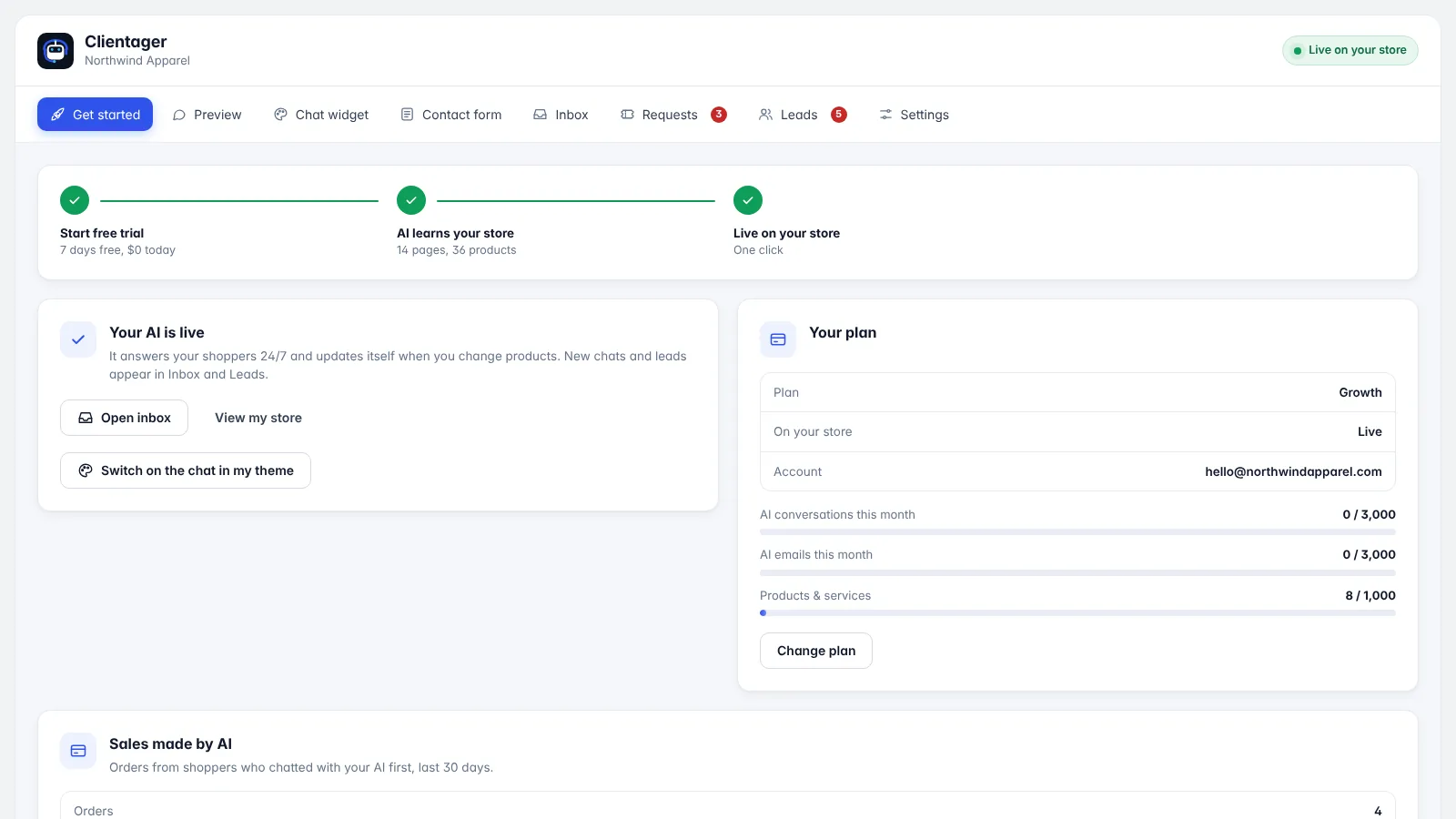
After installing, the app opens inside your Shopify admin. Confirm your email with the 6-digit code, then start the 7-day free trial. Billing goes through Shopify, so the plan appears on your Shopify invoice and nothing is charged during the trial.
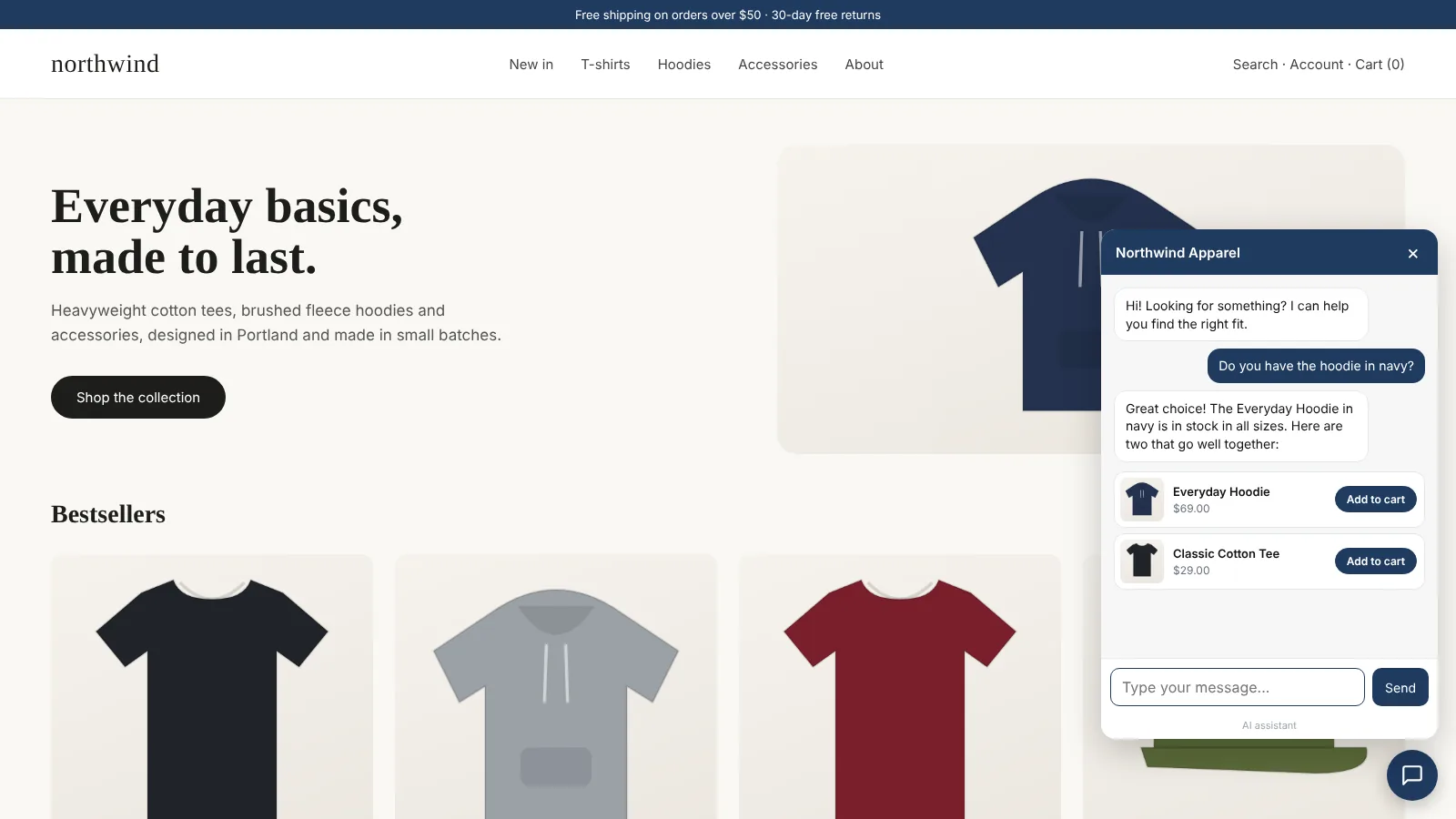
The AI then learns your store automatically. Open Preview and ask what shoppers ask: "show me your best sellers", "do you have this in blue?", "how long does shipping take?". Product answers appear as cards with photos and prices. When you are happy, click Go live, then "Switch on the chat in my theme": the theme editor opens with the Clientager chat app embed ready to switch on. Save the theme and the chat is live.
Customise it
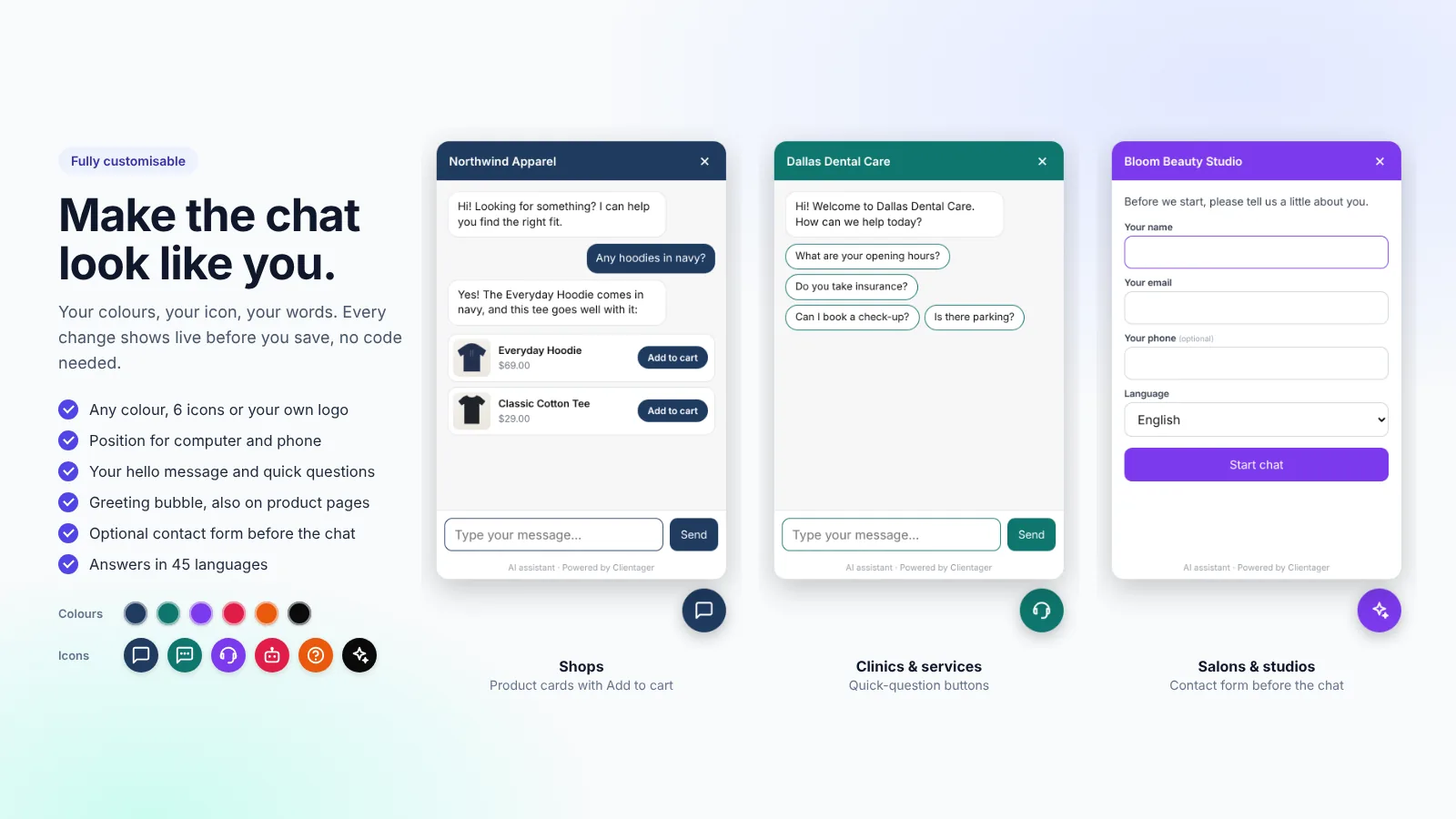
In Chat widget, choose the colour, an icon or your own logo, the position on computer and phone, the greeting, quick-question buttons and a greeting bubble, including a different message on product pages. Every change shows in a live preview.
Frequently asked questions
Do I need to edit my theme code?
No. The chat is a theme app embed: you switch it on in the theme editor and switch it off the same way.
How much does it cost?
There is a 7-day free trial, then plans from $25 a month, billed by Shopify. See /pricing.
Will it slow my store down?
The chat script loads after the page, so it does not block your store from showing.
Which themes does it work with?
Any Online Store 2.0 theme that supports app embeds, which includes Shopify's free themes and most paid ones.
More Shopify guides
Want this for your business?
Try it free for 7 days, no card needed: AI website chat, WhatsApp and email, trained on your own website. AI phone calls come with paid plans.