Shopify guide
A Shopify contact form that replies instantly with AI
Choose the fields and the look; every message gets a real answer by email and lands in your leads.
Hear it now: call our AI on +1 209-209-4303
Coming soon to the Shopify App Store (in review). Ask for early access and we will set up your store.
Quick answer
How can a Shopify contact form reply automatically?
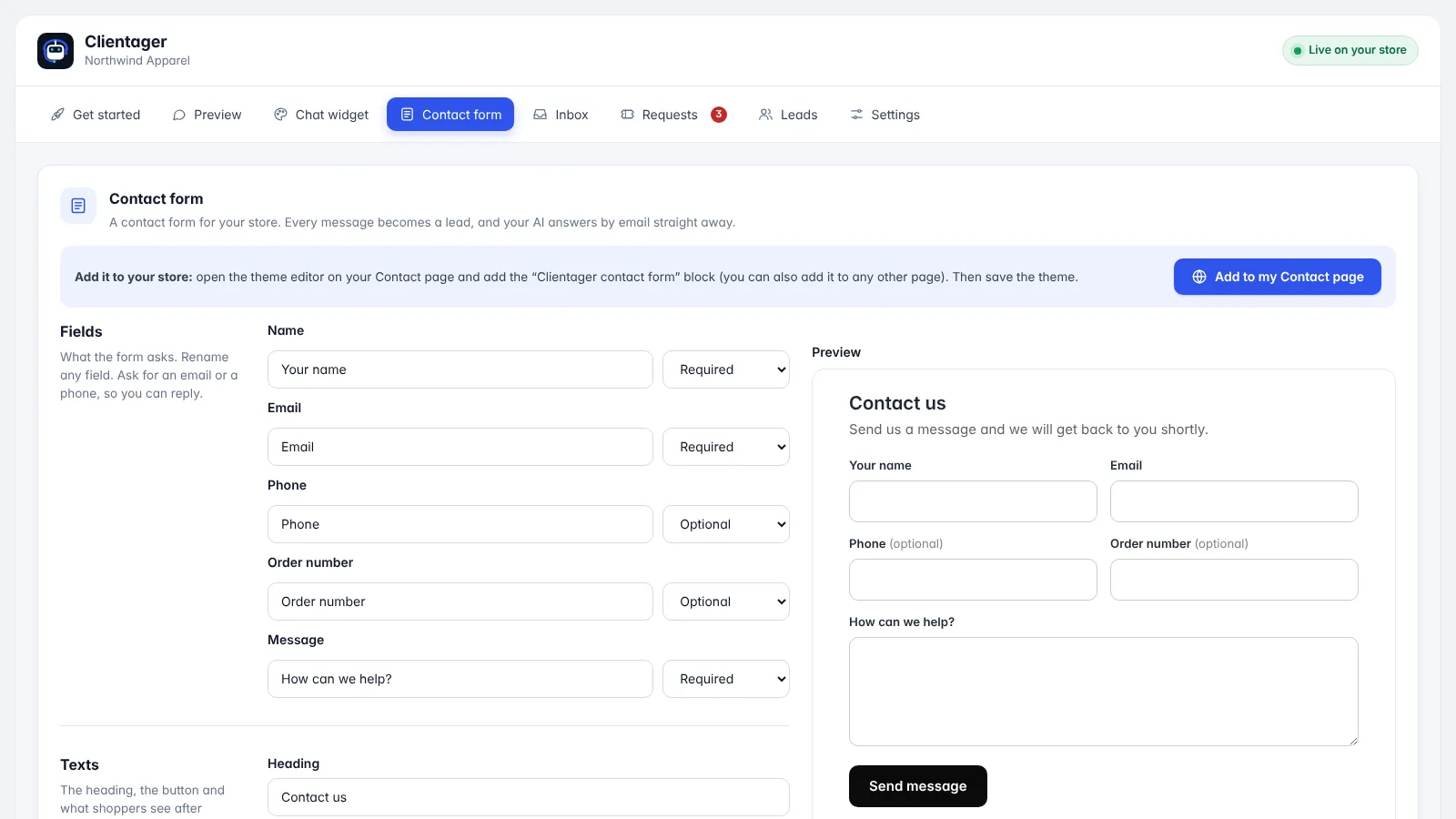
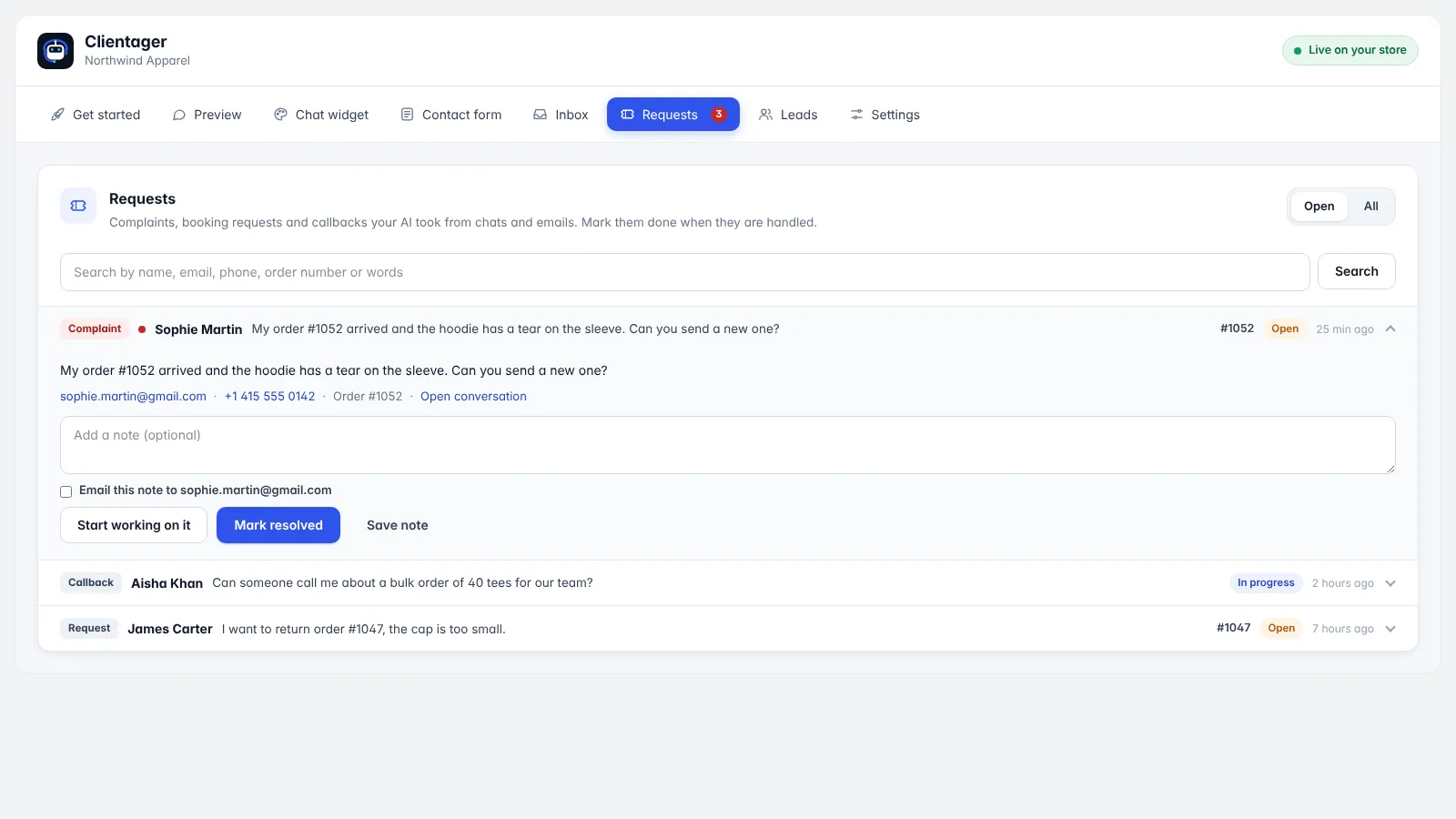
Add the Clientager contact form block to your Contact page in the theme editor. You choose its fields (name, email, phone, order number, message), texts and look. When a shopper sends a message, it becomes a lead and the AI emails a personal reply within seconds, answering from your products and policies, with your logo and sign-off. Complaints and returns also go to Requests.
What the form does differently
Shopify's built-in contact form sends you an email and nothing else. The shopper waits, and messages get lost in your inbox. The Clientager form answers the shopper straight away, saves them as a lead and files complaints and returns as requests your team can track.
Setting it up
Open the Contact form tab in the app. Choose which fields to ask for and whether each is required (email or phone must be required, so you can reply), rename labels, and write the heading, intro, button and thank-you texts. Pick corners, one or two columns, outlined or filled fields and the width. A live preview shows exactly what shoppers will see.
Click "Add to my Contact page": the theme editor opens; add the Clientager contact form block and save. You can add it to other pages too.
- Fields: name, email, phone, order number, message
- Your texts and colours
- Instant AI reply by email
- Leads and requests in the app
The reply email
Replies carry your logo and sign-off, set in Settings → Emails. They come from Clientager's sending address with your store name, and shoppers can reply straight to you; verify your domain in the dashboard to send from your own address. Each AI email counts toward your plan's AI emails: 500 a month on Lite, 1,000 on Starter.
Frequently asked questions
Can I keep Shopify's own contact form?
Yes. The Clientager form is a separate block; use either or both.
Is there spam protection?
Yes. The form has built-in spam protection and rate limits.
Can replies come from my own address?
Yes, after verifying your domain once in the Clientager dashboard.
Do messages appear in Shopify?
They appear in the Clientager app under Leads (and Requests for complaints and returns).
More Shopify guides
Want this for your business?
Try it free for 7 days, no card needed: AI website chat, WhatsApp and email, trained on your own website. AI phone calls come with paid plans.